
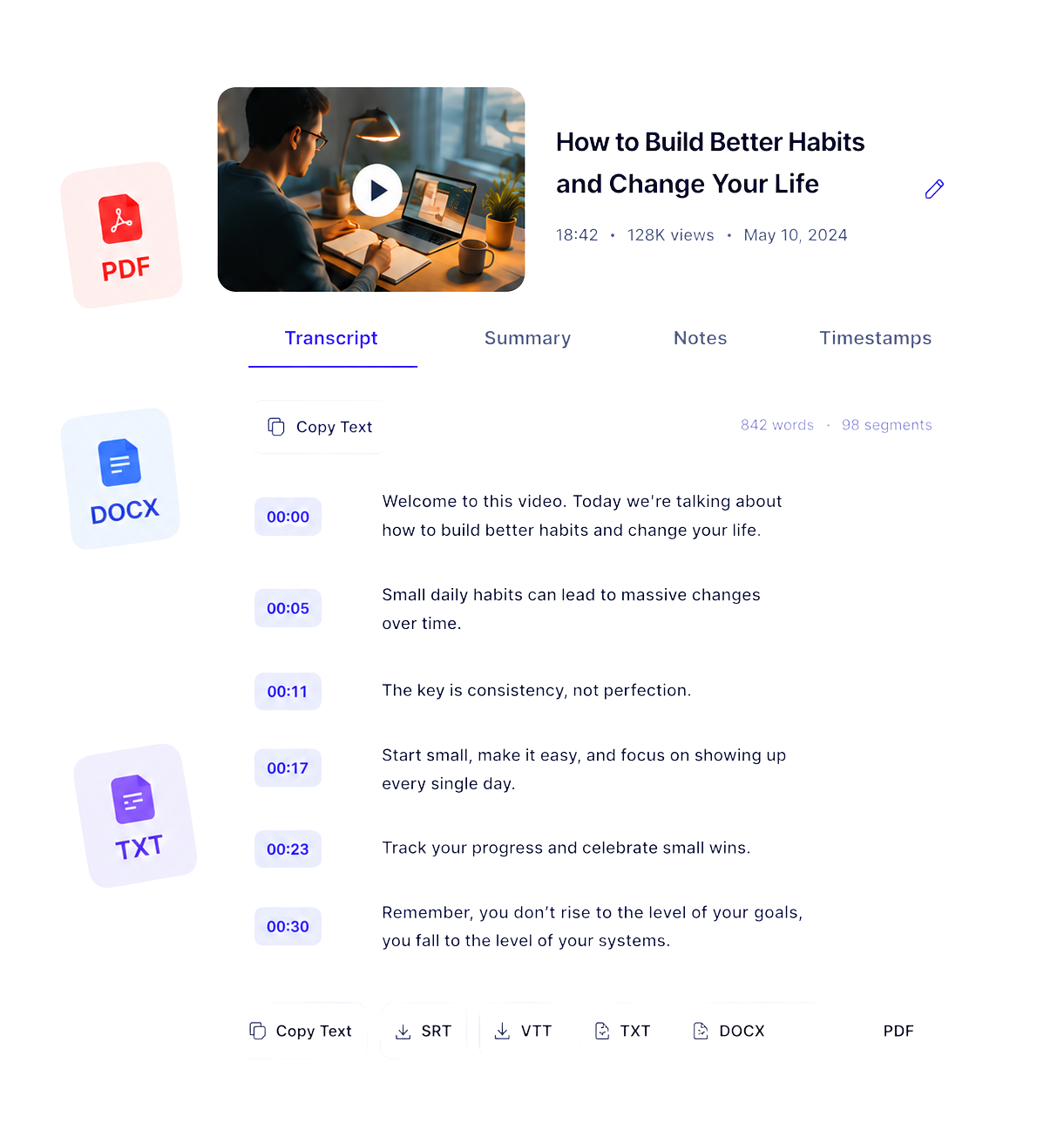
Instead of repeatedly watching a long video to find one important detail, you can search the transcript, review specific sections, follow timestamps, and organize the information in a format that fits your workflow.
Below, we explore who can benefit most from YouTube transcripts and the practical ways video-to-text conversion can support learning, research, content creation, collaboration, and accessibility.
What Is YouTube Transcription?
YouTube transcription is the process of converting spoken content from a YouTube video into written text. Depending on the available source, a transcript may also include timestamps, speaker changes, and language information.
A YouTube transcript makes video content easier to:
- Search for specific words or topics
- Scan without watching the entire video
- Review alongside the original recording
- Turn into notes, summaries, or outlines
- Translate into another language
- Organize for research or collaborative work
- Access when listening to audio is difficult or inconvenient
Why Turn a YouTube Video into Text?
Video is excellent for explaining ideas, demonstrating processes, and presenting conversations. However, it is not always the fastest format for finding or revisiting information.
Turning a YouTube video into text allows you to locate important details without manually searching through the entire recording. A timestamped transcript also makes it easier to return to the exact moment where a subject was discussed.
YouTube transcription can be particularly useful for long-form content such as:
- Lectures and educational videos
- Interviews and podcasts
- Webinars and conference presentations
- Product demonstrations
- Tutorials and how-to videos
- Documentaries and public discussions
- Training and onboarding materials
Different users benefit from transcripts in different ways. Here are some of the most common examples.
1. Students and Lifelong Learners
Students can transcribe YouTube lectures, tutorials, interviews, and educational videos to create a written reference alongside the original recording.
Searching a transcript for a particular concept or technical term is often faster than scrubbing through an hour-long video. Students can also use the text to identify important sections, create revision notes, and revisit difficult explanations.
A YouTube transcript can help learners:
- Review lectures more efficiently
- Search for definitions and key concepts
- Create structured study notes
- Follow complex explanations at their own pace
- Compare information from multiple educational videos
- Translate unfamiliar words or passages
- Return to important moments using timestamps
2. Researchers, Journalists, and Fact-Checkers
Researchers and journalists frequently work with interviews, public speeches, hearings, documentaries, expert discussions, and other video sources.
A timestamped YouTube transcript makes it easier to identify relevant passages, compare statements, and return to a precise part of the original source. This can reduce the time required to review long recordings and help organize information across multiple videos.
Researchers can use video transcripts to:
- Find mentions of specific people, events, or topics
- Compare statements from different sources
- Extract relevant sections for further analysis
- Organize interview material
- Locate potential quotations
- Create searchable research notes
- Preserve timestamps for source verification
3. Content Creators, Podcasters, and Video Editors
Content creators can use YouTube transcripts as a starting point for repurposing their own video content.
One video may contain enough material for an article, newsletter, podcast description, social media campaign, or collection of short clips. Working from a searchable transcript makes it easier to identify the strongest ideas without watching the complete recording again.
Creators can turn transcripts into:
- Video descriptions
- Show notes
- YouTube chapters
- Blog post outlines
- Newsletter drafts
- Social media posts
- Short-form video ideas
- Caption drafts
- Quotable highlights
- Frequently asked questions
Video editors can also search the transcript for a phrase, locate where a topic begins, and identify sections that may work well as clips.
4. Marketers, Sales Teams, and Customer Researchers
Marketing and sales teams can transcribe YouTube videos such as webinars, customer interviews, product demonstrations, conference sessions, and recorded presentations.
The resulting text can help teams identify recurring questions, customer objections, product language, and topics that may be useful for future campaigns or documentation.
YouTube transcription can support:
- Customer research
- Content repurposing
- Webinar summaries
- Sales enablement materials
- Product documentation
- Frequently asked questions
- Voice-of-customer analysis
- Campaign and content ideas
For example, a team could review multiple customer interviews and search the transcripts for repeated phrases or common problems. These insights may help improve product messaging and educational content.
5. Teachers and Workplace Teams
Teachers can use transcripts from public educational videos to prepare lesson notes, reading aids, discussion questions, and supporting materials.
A written version of a video can help students review the subject before or after a lesson. It can also make the material easier to annotate, translate, and organize.
Workplace teams may use video transcription for approved materials such as:
- Training videos
- Product presentations
- Public webinars
- Internal learning resources
- Recorded demonstrations
- Onboarding materials
Instead of asking colleagues to rewatch an entire presentation, a team can provide a searchable transcript with timestamps. This allows people to find the section they need and return to the original recording for full context.
Text can also be easier to translate and review than video alone, making transcripts useful for multilingual teams and international workplaces.
6. People Who Prefer or Need Readable Content
YouTube transcripts can make spoken information more usable for Deaf and hard-of-hearing viewers, non-native speakers, people watching without sound, and anyone who processes written information more comfortably.
A transcript may also help when:
- The audio quality is poor
- Speakers have unfamiliar accents
- Background noise makes listening difficult
- The viewer cannot use sound
- The video contains unfamiliar terminology
- The viewer wants to read at their own pace
- The content needs to be translated
How to Use a YouTube Transcript Effectively
Generating the transcript is only the first step. To get better results, use the text alongside the original video.
Search for important terms
Use text search to find names, concepts, questions, or phrases without watching the entire recording.
Keep timestamps available
Timestamps help you return to the original context and verify what the speaker actually said.
Review transcription errors
Check names, numbers, specialist vocabulary, quotations, and unclear passages against the video.
Organize the information
Turn the transcript into notes, sections, highlights, or a concise summary based on your goal.
Preserve the original context
A single sentence can be misleading when separated from the surrounding discussion. Review the full passage before quoting or sharing it.
Respect privacy and copyright
Do not assume that generating a transcript gives you the right to republish, distribute, or commercially reuse someone else’s content.
How to Get a Transcript from a YouTube Video
You can create a transcript in a few simple steps:
- 1
Copy the URL of a supported public YouTube video.
- 2
Open TubeText’s YouTube Transcript Generator.
- 3
Paste the YouTube link into the input field.
- 4
Select the available transcript language.
- 5
Generate and review the text.
- 6
Use timestamps to verify important information in the original video.
- 7
Export or organize the transcript according to your workflow.
The availability and accuracy of a transcript can depend on the video, its audio quality, the spoken language, and whether usable captions are available.
Frequently Asked Questions About YouTube Transcription
A YouTube transcript generator can be useful for students, researchers, journalists, creators, marketers, teachers, workplace teams, and viewers who prefer written content. It is especially helpful when you need to search, review, summarize, or organize information from a long video.
You can use a transcript to review a video, create notes, locate important passages, prepare a summary, find timestamps, translate content, or organize research. If you own the video, you may also use its transcript to create articles, newsletters, descriptions, chapters, and social media content.
Accuracy varies depending on the audio quality, background noise, speaker accents, language, and subject matter. Names, numbers, quotations, and technical terminology should always be checked against the original video.
It depends on the transcription service and the video. Some tools offer free transcript generation or limited free access, while advanced features such as AI summaries, translation, or additional export formats may require payment.
Creating a transcript for personal reference, research, or accessibility may be acceptable in many situations, but copyright and usage rules still apply. A transcript does not transfer ownership of the original content or automatically grant permission to republish it.
Yes. A transcript can help you locate relevant statements and timestamps, but it should not replace the original source. Verify important claims and quotations directly against the video before citing them.
Turn YouTube Videos into Searchable Text
Paste a public YouTube URL, generate a searchable transcript, and find the information you need faster.
YouTube transcription makes video content easier to search, review, organize, and reuse responsibly. Whether you are studying a lecture, researching an interview, preparing content from your own video, or making spoken information easier to access, a transcript can save time and simplify the process.
Paste a public video URL into TubeText’s YouTube Transcript Generator to turn the video into searchable text, then review the result and use timestamps to return to the original source whenever accuracy matters.